Take control of your AI strategy with the release of Your prompts, a powerful new addition to the AI View suite.
While features like Sector Discovery and AI Profiles show you how AI views your specific organisation, “Your prompts” gives you the power to ask your own custom questions. Now, you can see exactly what AI models are telling people when they ask about your broader industry, your competitors, or the specific challenges your audience faces.
By tracking these questions on a regular schedule, you can audit the information your audience is receiving—checking if it is accurate, if it is up to date, and uncovering exactly whose information is shaping the narrative.
Key Highlights
- Custom Questions on Your Schedule: Work with our team to set up the exact questions your audience is asking. We will automatically query the top AI models (including ChatGPT, Gemini, Claude, Perplexity, and Google AI Overview) on a regular schedule so you always have the latest insights.
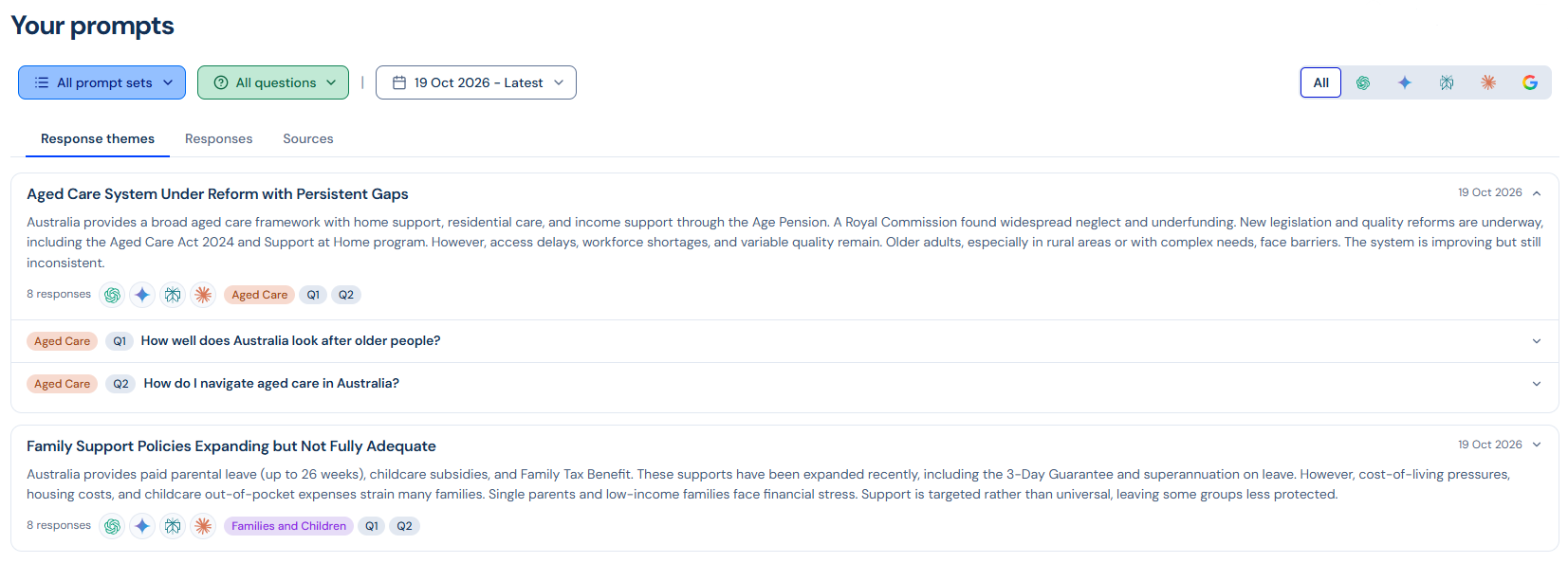
- Instant Thematic Analysis: Don’t have time to read hundreds of responses? The new Response themes tab automatically groups similar AI answers together, allowing you to spot high-level trends at a glance.
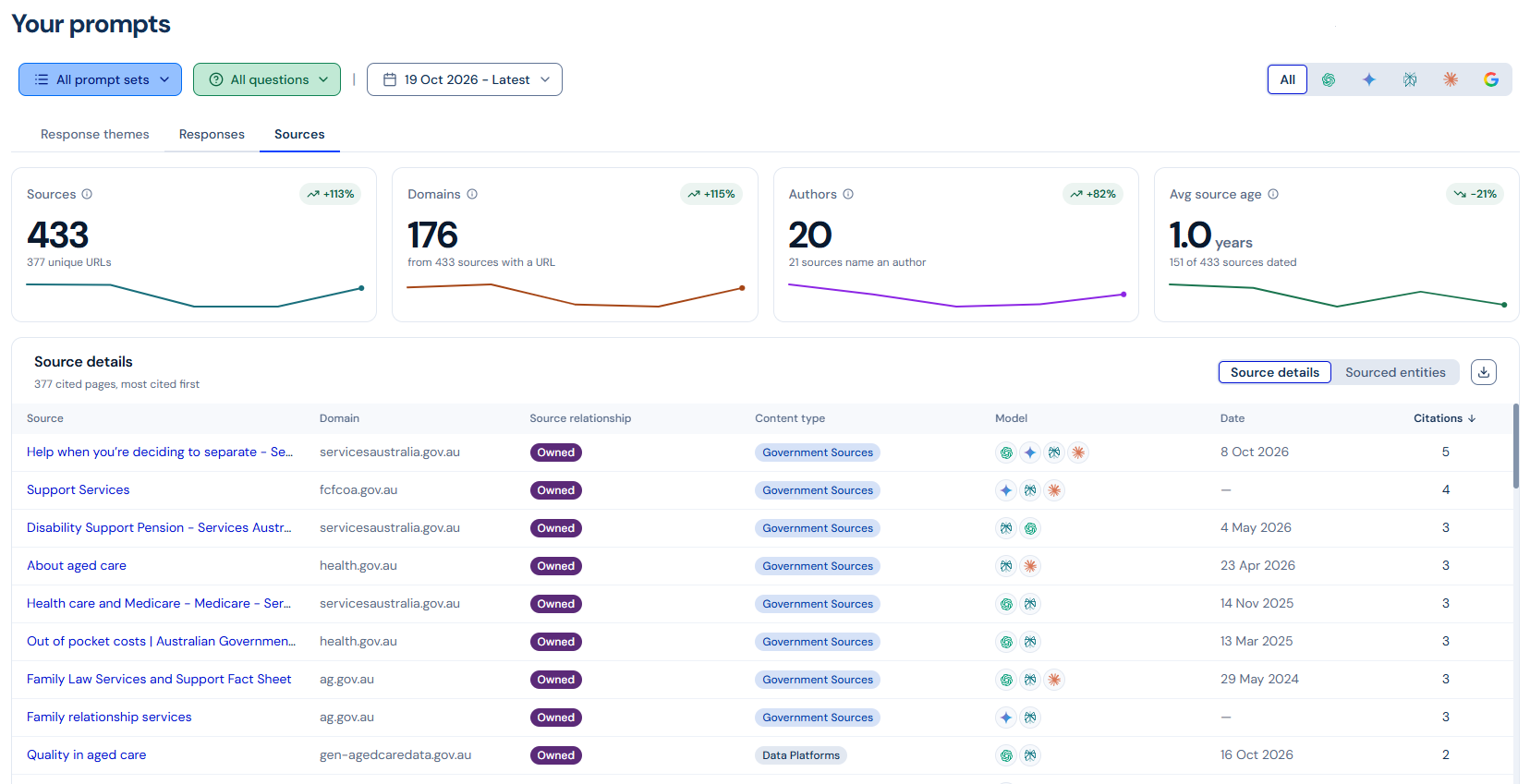
- Full Transparency into Sources: The Sources tab breaks down the specific websites, domains, and authors the AI engines are referencing. We automatically filter out dead links so you can focus on the live pages driving the conversation.
- Track Sourced Entities & Sentiment: See exactly which organisations, people, and products the models are discussing, complete with the sentiment of the mention (Positive, Neutral, Negative) and the exact quote used.
- Comprehensive, Flexible Exports: Easily download your data to Excel to share findings with your wider team or run your own historical analysis. Alongside table-specific exports, you can click the download icon on the navigation tab row to perform a full export of all responses matching your selected filters.
How to Get Started
You can explore the new dashboard by navigating to AI View > Your prompts in the navigation drop-down.
To start tracking your own questions and understanding AI response, please reach out to your account management team.
For more information on how to use Your prompts, check out this guide: Getting Started With AI View “Your Prompts”
